Like This Site? 
 
RSS Feed Follow Us 

on Twitter! Be Our Fan!

Using AJAX and PHP

Share this post!
 Vote this!

AJAX is Asynchronous JavaScript And XML. Jesse James Garett coined term AJAX in his article: “AJAX : A new approach for a new application”. This term used in 2005, where as technologies existed earlier. Ajax is just a new style of designing application. You can Manipulate GUI elements using Ajax. While using Ajax, you will not see any flicker when you perform some event on a web page. The reason is that an Ajax enabled page is not submitted back to the server. In fact only a portion of that page is submitted to the server using XMLHttpRequest object of JavaScript. As soon as the response is received from the server by XMLHttpResponse object it is updated on the web page. So you feel a smooth desktop like performance of web applications.  more...

AJAX: How to Handle Bookmarks and Back Buttons

Share this post!
 Vote this!

This article presents an open source JavaScript library that finally brings bookmarking and back button support to AJAX applications. By the end of this tutorial, developers will have a solution to an AJAX problem that not even Google Maps or Gmail possesses: robust, usable bookmarking and back and forward behavior that works exactly like the rest of the Web.

"AJAX: How to Handle Bookmarks and Back Buttons" explains the significant issues that AJAX applications currently face with bookmarks and the back button; presents the Really Simple History library, an open source framework that solves these problems; and provides several working examples.

The principal discoveries of the framework presented in this article are twofold. First, a hidden HTML form is used to allow for a large transient session cache of client-side information; this cache is robust against navigation to and away from the page.  more...

Beginner's AJAX Tutorial

Share this post!
 Vote this!

Table of Contents

Audience and Pre-Requisites
Introduction
What is AJAX?
Talking to the Server
The Rest of the Pieces
Google and AJAX
More Examples and Tutorials
 

Audience and Pre-Requisites

This tutorial covers the basics of AJAX. The pre-requisites are knowledge of CSS, DHTML and JavaScript. We have a separate tutorial on these topics that provides just what you need to know to work with AJAX.

Introduction

What is AJAX?

AJAX is an acronym for Asynchronous JavaScript and XML. It is a development technique for creating interactive web applications. Unlike classic web pages, which must load in their entirety if content changes, AJAX allows web pages to be updated asynchronously by exchanging small amounts of data with the server behind the scenes.  more...
 

Ajax Chat script in Javascript/PHP

Share this post!
 Vote this!


Ajax Chat is a light-weight customizable web chat software implemented in JavaScript and PHP. The script does not require Java, Flash, or any other plugins. Features:
  • Public and private chat.
  • Login as a registered user or as a guest.
  • Away status, custom colors, smileys, user gender/status icons.
  • Ajax Chat can be integrated with a third-party membership system by implementing user authentication routine. Advanced integration options: if user is logged in to the website, he can be logged in to the chat automatically.     more...

Max's AJAX file uploader

Share this post!
 Vote this!

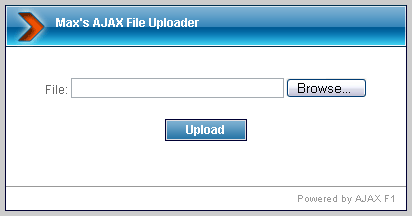
This is a simple script which uses JavaScript and PHP to upload files to your webserver.Max's AJAX file uploader is a simple and easy to use script, which allows you to upload files to your webserver without reloading the current page. During the upload an animated progress bar is shown. The server side is written in PHP. 
more...

Ajax Forms and how to save or print + and other special symbols successfully

Share this post!
 Vote this!

Sending special characters such as plus symbols through an AJAX form to be received the other end requires a bit of trickery. Often when programmers experience trouble with this kind of transmissions there was either

  1. A lack of encoding on the JavaScript side.
  2. The decode function on the PHP side was not good enough.
  3. No encoding took place on either side.
  4. No encoding took place on one of the two sides.

Asynchronous Javascript And XML Example (AJAX)

Share this post!
 Vote this!

This is a simple javascript AJAX tutorial using php, javascript and XMLHttpRequest. AJAX is the fundamental lynchpin of web 2 services and underpins almost every widget today. This is the simplest javascript example that demonstrates AJAX. No prior php knowledge required. Great for beginers to AJAX.

This example consists of two files. ajaxexample.html contains all the javascript and getresult.php is the php backend that returns an xml result. Create or copy these two files into the same directory on a webserver (such as apache) that supports php.           more...

PHP Tutorial: AJAX Chat

Share this post!
 Vote this!


Ever since Google popularized AJAX with the Google Suggest feature that lists common search queries as you enter your keywords, the programming technique has spread to nearly every “modern” website. From a developer’s perspective, AJAX can be very useful if it is applied in the right situation.
It is foremost important to note that AJAX is not a language, but an application of existing technologies. AJAX is an achronym that stands for Asynchronous JavaScript And XML.          more...

Ajax PHP tutorial

Share this post!
 Vote this!

In this article I will try to summarize the basics of Ajax and PHP communication. At the and you can find a full working Ajax - PHP example.


Step 1 - Ajax basics


Ajax PHP tutorial
In this article I don't want to show you the history of AJAX and discuss its pros and cons, but only focus on how to create a basic working AJAX - PHP communication.
The only important thing at the moment is that AJAX uses JavaScript so it need to be enabled in your browser to successfully complete this tutorial.

more...

AJAX file upload tutorial

Share this post!
 Vote this!

In this tutorial I will show you how to create simple AJAX file upload system using PHP and JavaScript.


Step 1 - AJAX file upload


AJAX file upload tutorial
First of all I have to say that to create a pure AJAX file upload system is not possible because of security limitations of JavaScript. All of the Ajax upload systems I know use some third party tool/package or only mimics the AJAX feeling. Even so it makes file upload process a bit nicer. In the next section I will present you a solution which imitates the AJAX process, but uses a normal upload process and iFrames.        more...

30 Very Useful AJAX Tutorials And Techniques

Share this post!
 Vote this!

Using AJAX on websites and applications is pretty much taken for granted nowadays. Users expect it. They want to be able to edit a page in-place, they want search queries to be auto-suggested, and they want to be able to submit a form without refreshing the page. Why? Because those things make browsing quicker, easier and, more importantly, enjoyable.
As great as AJAX is, though, it is not for every website or application. Part of the developer’s job is to know exactly where AJAX (or any technology for that matter) is needed. Too little can lead to user frustration. Too much causes misunderstanding. A balance and some restraints are always needed.   more...

Performing GET and POST requests using Ajax

Share this post!
 Vote this!

Ajax, the catchy buzz word that ushered in the Web 2.0 era, basically describes two things once you strip away all the fluff: performing "GET" and "POST" requests asynchronously. Instead of using a FORM and requiring the user to explicitly submit it to transmit information back to the server, Ajax lets you perform such requests seamlessly at any time, using data that don't necessarily come from form elements, then get the result back without refreshing the page. Ok, that's a mouthful, but again, it all boils down to just two things- performing "GET" and "POST" requests and doing so asynchronously.  more...

Floating social toolbar with jQuery and CSS

Share this post!
 Vote this!

we’re going to show you how to make a fancy floating bar using jQuery and JavaScript, as the one you see when scrolling down on this page. From creating the PHP file to customizing the CSS, we will guide you across the several steps before you can complete this fancy floating bar ready to be implemented on your website and where you can place several elements, including social icons, information and more. Some other good examples of floating bars can be found at Meebo and Wibiya. Remember that among the main uses you can give to this great floating bar we can list:
  • Social information
  • Advertising
  • Highlight important information (promos, etc.)
  • Contact information
  • Polls / feedback       more...  
View Demo 1    View Demo 2  See it in action 

PHP, SQL, jQuery and AJAX - Populate Select Boxes

Share this post!
 Vote this!

In this tutorial I will show you how to write a simple jQuery AJAX script to populate Multiple select boxes from data retrieved from an SQL Database. As a demonstration I will use the concept of a search query implemented on most motor sales websites.

For a demonstration (NOT one of my websites) of the script please visit :
Sierra Blanca Motors of Ruidoso | New Vehicle Inventory

First, Lets build our relationships in the Database :
We will have one table named 'types' to save the different vehicle types on may want to query. We will have another table named 'makes' to save the different vehichle manufacturers names. The final Table will be named 'model' to save a list of models available. The 'model' table will have two refference keys namely 'mo_make' and 'mo_type'.  more...

A Guide to Understanding the Properties Panel in Dreamweaver

Share this post!
 Vote this!

If you are new to Dreamweaver, it's important to understand and know what the properties panel is. You will use the properties panel quite a bit when designing with Dreamweaver. In this guide, I will walk you through each section of this tool.

Locating Your Properties Panel in Dreamweaver

The Properties Panel in Dreamweaver is located at the bottom of your window. In the panel you can do different things like change your text, create links, and apply CSS Styles. If you are just getting started with Dreamweaver, this guide will help familiarize you with the properties panel. You will need to know how to use the properties panel in order to create websites. We will take a look at each section in the properties panel of Dreamweaver.  more...

gAjax RSS Feeds Displayer

Share this post!
 Vote this!

This script is the fastest way to display RSS feeds from other sites on your own, period. It uses Google's Ajax Feed API to host the desired RSS feeds on Google's servers, so all that's left for you is to insert some code on your page to show them. Using gAjax RSS Feeds Displayer, you can display results from multiple feeds intermixed, sort them in a variety of ways, specify which components of each RSS entry to display, and more. No more hurdles in your way to showing RSS feeds on your site!
Here's a summary of the features of this script:
  • Uses Google Ajax Feed API to host/cache the desired RSS feeds, so you don't have to install or host anything on your own server.
  • Specify multiple RSS feeds to display, with the results intermixed.  more...

Script For Email Validation

Share this post!
 Vote this!

This script uses regular expressions to check that a form field contains a valid email address. Note that it won't catch all invalid emails, like most similar scripts. However, for most intents and purposes, this script should serve its purpose well, by rejecting common email typos while leaving room for obscure yet valid emails to pass.
Here are some examples of valid email addresses that this script will recognize:
  • contact@mydomain.com
  • jason+lang@gmail.com
  • help@nbc.co.uk
  • mary.k.ashley@celeb.com
  • george@sub.whatever.mydomain.ca
  • edward@42.234.12.345   more...

Script for cookies to remember and display a person's name

Share this post!
 Vote this!

This script will prompt the user to enter his/her name, and remember and display it whenever the user returns.

<script>
<!--
// Boolean variable specified if alert should be displayed if cookie exceeds 4KB
var caution = false

// name - name of the cookie
// value - value of the cookie
// [expires] - expiration date of the cookie (defaults to end of current session)
// [path] - path for which the cookie is valid (defaults to path of calling document)
   more...

AJAX contact form with auto responder

Share this post!
 Vote this!

Flying Message Script

Share this post!
 Vote this!

A message that flies across the screen. HTML tags, such as links, and be embedded inside. The message is an external html file that can be updated by anyone who knows basic HTML. If the surfer moves the mouse over the message, it pauses for him/her to interact. Browsers other than NS 4.x will simply see no message.  more...